

You don’t need twenty different travel apps cluttering your phone for a trip to London. Honestly, half a dozen well-chosen ones will handle almost everything—from tapping through Tube gates to booking a table in Soho.
From checking live train updates and booking taxis to storing attraction tickets digitally, a handful of essential tools can save you both time and money. Below is a full breakdown of the best apps for London tourists in 2026, what each one actually does, and which ones are worth your phone’s storage space. For more general prep beyond apps, see our London Travel Tips guide.
Quick Answer: The Essential Apps
For most visitors looking for the best apps for London tourists, these six core apps cover almost every situation:
- Navigation & Transport: Google Maps, Citymapper, TfL Go
- Rides & Day Trips: Uber, Trainline
- Payments & Tickets: Apple Wallet or Google Wallet
If you’re staying longer, visiting several attractions, or planning day trips outside London, a few extra tools are worth adding on top.
Why Set Up Your Apps Before You Fly
London is exceptionally easy to explore without a car, but only if your phone is prepared before you arrive. Most attractions require digital tickets, public transport status updates minute-by-minute, and mobile payments are accepted almost everywhere—from street markets to museum gift shops.
Setting up your travel tools at home avoids a common headache. Heathrow’s Wi-Fi is decent, but standing in line at passport control or at the train platform is not the time to be downloading heavy files or waiting for SMS verification codes. Download the best apps for London tourists, log into your accounts, and save offline maps the night before you leave. If you’re also packing, our London Packing List 2026 covers the rest of your pre-trip checklist.
Full List of the Best Apps for London Tourists at a Glance
| App | Best for | Official Resource |
|---|---|---|
| Google Maps | Walking directions and navigation | Google Maps |
| Citymapper | Public transport planning | Citymapper |
| TfL Go | Official Tube and bus information | Transport for London |
| Uber | Taxi rides & river boats | Uber London |
| Trainline | National Rail tickets | Trainline |
| Google Wallet / Apple Wallet | Contactless transit payments | Google Wallet |
| GetYourGuide | Tours and attraction tickets | GetYourGuide |
| OpenTable | Restaurant reservations | OpenTable |
| Messaging and calls | ||
| XE Currency | Currency conversion | XE Currency |
| Google Translate | Language translation | Google Translate |
| Visit London App | Sightseeing inspiration | Visit London |
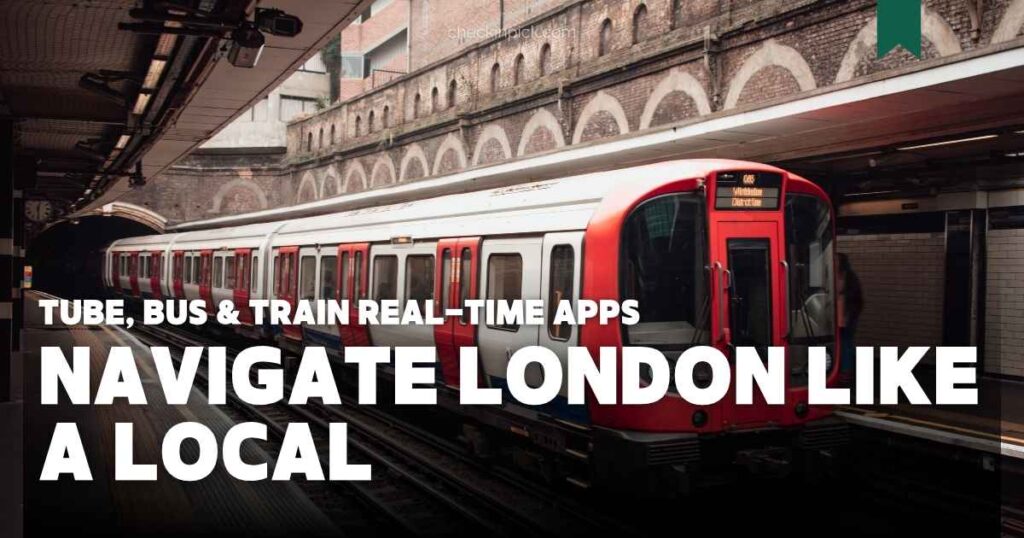
Google Maps
Best for: Everyday walking navigation and offline maps.
Google Maps is still one of the best apps for London tourists when navigating on foot. Beyond handling walking directions, live traffic, and nearby places, its real strength for tourists is offline maps. Download the London area before your flight, and you can still navigate even when your phone loses signal underground or between tall buildings.
Citymapper
Best for: Real-time public transport routing and disruption alerts.
If you’ll be using public transport daily, Citymapper is built specifically for complex city transit. It folds the Underground, buses, Elizabeth Line, Overground, DLR, and river boats into a single journey planner. Londoners rely on it daily because it flags live disruptions quickly and often suggests faster alternative routes than Google Maps. For more on that particular route, see our guide to using the Elizabeth Line in London.
💡 Check-in Pick Insight: Citymapper and TfL Go genuinely complement each other. Citymapper is faster at rerouting you around an unexpected delay, while TfL Go carries official word straight from Transport for London when you need confirmed status updates. Keeping both costs nothing and saves the odd headache.
TfL Go
Best for: Official, no-guesswork transport information.
TfL Go is the official app from Transport for London, the official government body running the Underground, buses, DLR, and Elizabeth Line. Because it comes straight from the source, service status updates are as reliable as it gets. It also features step-free route planning, which is invaluable if you are traveling with heavy luggage, a wheelchair, or a stroller.
2. Transit Payments & Getting Around by Road
Google Wallet or Apple Wallet
Best for: Cashless public transport travel.
London is virtually cashless on transit. Instead of buying paper tickets or purchasing a physical Oyster card, you can simply tap your phone or smartwatch on the readers when entering and leaving stations. Fares are calculated automatically, and daily fare caps apply the same way they would with a physical card. If you’re deciding between payment methods, our Oyster Card vs Contactless guide walks through the trade-offs.
⚠️ Check-in Pick Insight: Keep spare physical bank cards away from your phone case when tapping in. Two contactless payment cards sitting close together can confuse the reader, split a single journey into two taps, and charge you twice.
Uber
Best for: Late-night travel, airport transfers, and group rides.
Uber remains one of the simplest ways to get around when public transport isn’t practical, particularly late at night or with a lot of luggage. You can request a ride anywhere in Greater London and pay directly through the app without cash. Compare it against train options in our guides to getting from Heathrow to central London and the Heathrow to Paddington train.
💡 Check-in Pick Insight: London also offers Uber Boat by Thames Clippers, accessible through the same Uber app. It’s a scenic way to cross the city on the river rather than underground.
3. Day Trips, Tickets & Dining
Trainline
Best for: Booking National Rail tickets for day trips outside London.
If day trips to places like Windsor, Oxford, Cambridge, Bath, or Brighton are on your itinerary, Trainline makes searching routes and buying National Rail tickets simple. Tickets are stored digitally on your phone, so there is nothing to print or collect at station kiosks.
GetYourGuide
Best for: Attraction tickets and guided tours.
GetYourGuide simplifies reserving popular experiences like the London Eye, Tower of London, Harry Potter Studio Tour, or Thames river cruises. Mobile tickets sit right in the app, and most bookings feature flexible cancellation options if weather changes your plans.
OpenTable
Best for: Reserving tables at popular London restaurants.
Central London restaurants in busy areas like Covent Garden, Soho, Mayfair, and Borough Market fill up quickly. OpenTable lets you search nearby spots by cuisine and price range, read verified reviews, and reserve a table in a few taps.
Best for: Free messaging and staying in touch with services.
Hotels, tour operators, transfer services, and local restaurants in London frequently use WhatsApp for customer updates. Running over Wi-Fi or mobile data, it helps avoid international calling charges while making it easy to share live locations with your travel group.
XE Currency
Best for: Tracking home currency spending.
Contactless payments are accepted almost everywhere, but XE Currency helps you keep track of actual spending in your home currency. It functions offline using recent exchange rates, making it handy when shopping or budgeting against a daily target.
Google Translate
Best for: Camera translation for menus and printed signs.
Even in an English-speaking city, Google Translate earns its spot for instant camera translations of menus, signage, or foreign languages. Downloading an offline language pack ensures basic features work without cellular data.
Visit London App
Best for: Discovering seasonal events and sightseeing ideas.
Run by London & Partners, the official Visit London app highlights seasonal festivals, exhibitions, and family activities that visitors often miss. It pairs seamlessly with structured travel plans like our 3-day and 5-day London itineraries.
The Best Apps for London Tourists by Travel Style
You don’t need all twelve. Most travelers end up using five or six depending on how they travel:
| Travel style | Recommended apps |
|---|---|
| First-time visitors | Google Maps, Citymapper, TfL Go, Uber, Google/Apple Wallet |
| Budget travelers | Google Maps, Citymapper, Trainline, XE Currency |
| Families | Google Maps, TfL Go, Uber, GetYourGuide |
| Day-trip travelers | Trainline, Google Maps, Citymapper |
| International visitors | Google Maps, WhatsApp, Google Translate |
One mistake many first-time visitors make is relying on only one navigation app. Google Maps is excellent for walking directions and finding what’s nearby, but Citymapper is usually sharper on public transport detail and live disruptions. Keeping both installed and glancing at whichever is most useful at the moment beats sticking strictly to one.
Frequently Asked Questions
What are the best apps for London tourists?
Google Maps, Citymapper, TfL Go, Uber, Trainline, and Google Wallet or Apple Wallet cover navigation, transport, and payments for almost any visitor.
Do I need all of these apps installed?
No. Most visitors get by on Google Maps, Citymapper, TfL Go, Uber, and Google/Apple Wallet for a typical trip.
Which app is better for the London Underground?
Citymapper tends to be better for real-time routing and disruption alerts, while TfL Go gives you official, confirmed status straight from Transport for London.
Can I use Google Maps offline in London?
Yes. Download the London area on Wi-Fi before your trip, and you can keep navigating walking routes without mobile data.
Final Verdict
When picking the best apps for London tourists, the right tools are the ones that save you time on the ground, not the ones with the longest list of features. Downloading your core navigation, payment, and transit apps before takeoff means you won’t waste a second fumbling with Wi-Fi or creating accounts at the airport.
Save an offline map, set up your mobile wallet, and you’ll be ready to explore London smoothly from the moment you arrive.
Planning your London trip? These guides may also help:
- London Underground Guide: Best Ways to Pay for the Tube
- Oyster Card vs Contactless in London (2026)
- London Travel Budget (2026)
- How to Get from Heathrow to Central London (2026)
- How to Use the Elizabeth Line in London
- How to Use Buses in London (2026)

Welcome to CheckinPick. We create practical travel guides for visitors planning trips to London and other destinations.
Our editorial team focuses on useful, up-to-date information about transportation, accommodation, attractions, fares and travel planning. We research information using official sources and reputable travel resources, and we update our guides when important details change.
Our goal is to make travel information easier to understand and more useful for real-world trip planning.